Instabeat1.1
Publisher Description
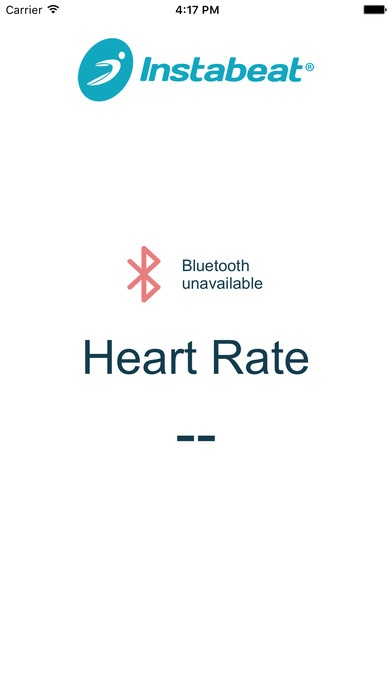
Instabeat gives you Real-Time Heart Rate Feedback, Automatic Stroke Detection, Detailed Swim Analytics, and a whole new way to beat your best.
Train Smarter with Instabeat:
Track your Heart Rate, Lap Times, Pace, Distance, Lap Count, Stroke Type.
View metrics and heart rate cure on graph for the entire swim or zoom all the way down to a single lap.
Set Instabeat's real time heart rate display into three intervals:
* Blue for fat burning
* Green for fitness
* Red for maximum performance
Watch the colors change on the goggle display and adjust your
workout instantly - no more waiting for the end of a rep.
Customize to fit your individual resting heart rate and workout preferences.
Oct 1, 2019 Version 1.1
Compatible with iOS 13
Faster data syncing
Strava integration
About Instabeat
The company that develops Instabeat is Instabeat Inc.. The latest version released by its developer is 1.1. This app was rated by 1 users of our site and has an average rating of 3.0.
To install Instabeat on your iOS device, just click the green Continue To App button above to start the installation process. The app is listed on our website since 2019-10-01 and was downloaded 55 times. We have already checked if the download link is safe, however for your own protection we recommend that you scan the downloaded app with your antivirus. Your antivirus may detect the Instabeat as malware if the download link is broken.
How to install Instabeat on your iOS device:
- Click on the Continue To App button on our website. This will redirect you to the App Store.
- Once the Instabeat is shown in the iTunes listing of your iOS device, you can start its download and installation. Tap on the GET button to the right of the app to start downloading it.
- If you are not logged-in the iOS appstore app, you'll be prompted for your your Apple ID and/or password.
- After Instabeat is downloaded, you'll see an INSTALL button to the right. Tap on it to start the actual installation of the iOS app.
- Once installation is finished you can tap on the OPEN button to start it. Its icon will also be added to your device home screen.
Program Details
System requirements
Download information
Pricing
Version History
version 1.1
posted on 2019-10-01
Oct 1, 2019 Version 1.1
Compatible with iOS 13
Faster data syncing
Strava integration
version 1.1
posted on 2019-10-01
1 Oct 2019 Version 1.1
Compatible with iOS 13
Faster data syncing
Strava integration
version 0.1
posted on 2016-04-20
version 1.1
posted on 1970-01-01
2019年10月1日 Version 1.1
Compatible with iOS 13
Faster data syncing
Strava integration
